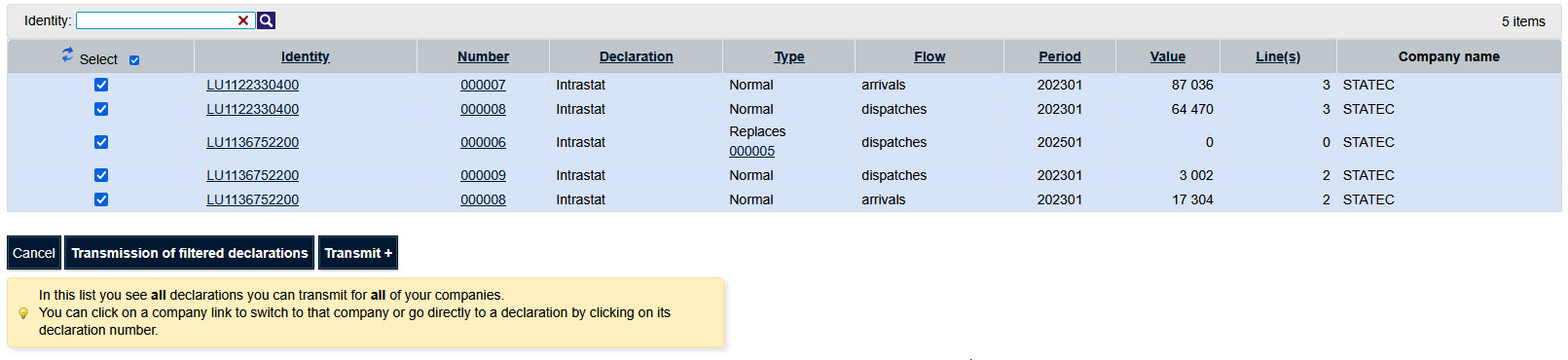
A MultiImport file can contain multiple declarations for several companies (usable in the case of a third-party reporting); several statistical periods; several Flows.
The Excel file that can be downloaded from our site contains two sheets.
Download sample Excel file (MultiImport)

The first sheet can be used for data encoding.

The second sheet explains the contents of the different fields depending on the type of declaration to be completed.
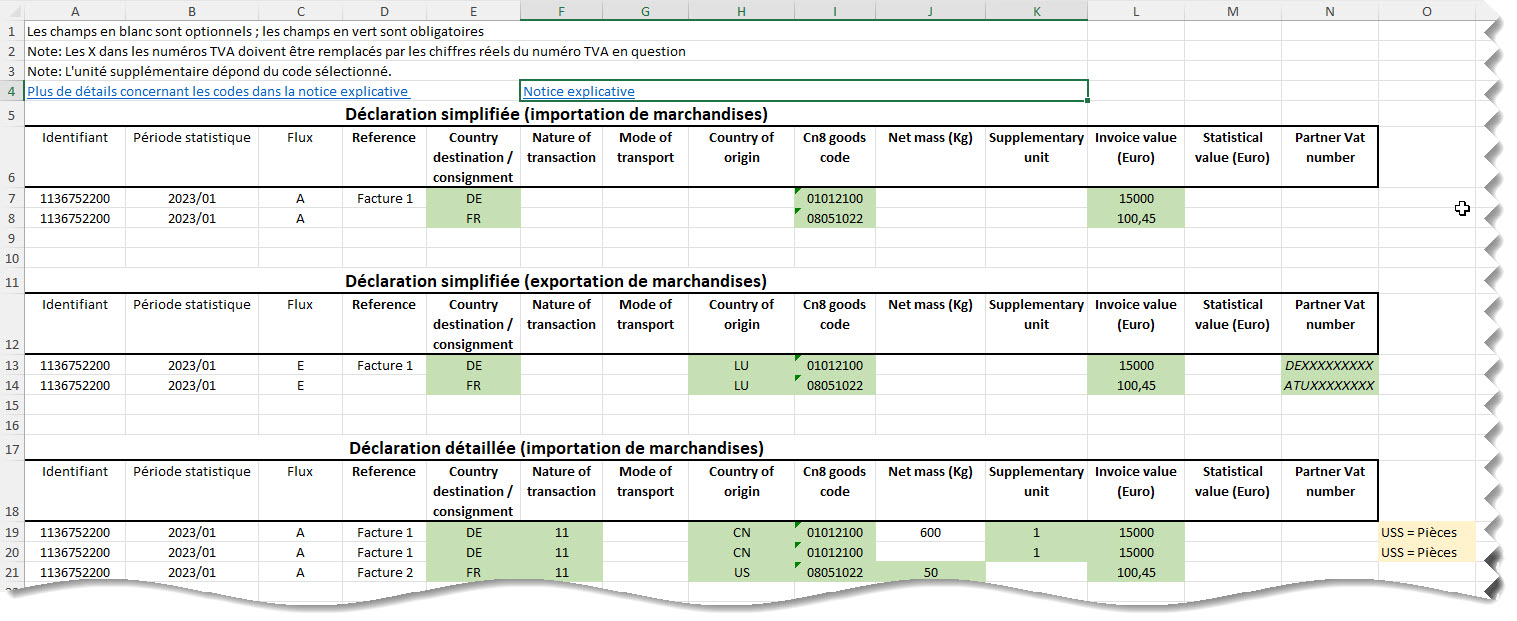

The sample file shown as an example contains returns for two customers with VAT numbers 1136752200 and 1122330400.
The file contains for both clients the declarations of January 2023 import and export of goods.
In this example, the third-party reporter "Jossa Tiers Declarant" imports one report for two clients.
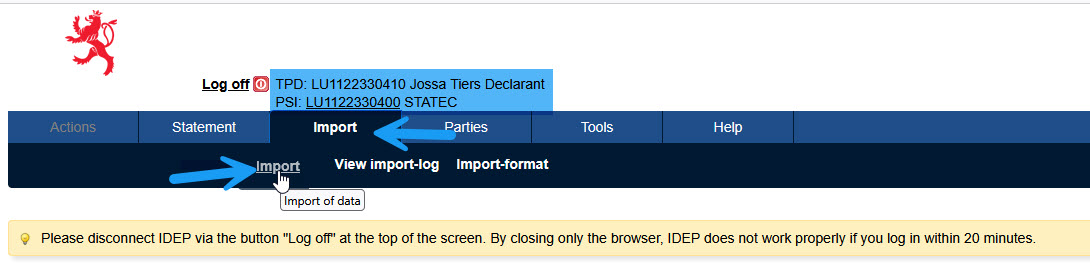
The currently active company is displayed at the top of Idep.Web.
For a multi-import it is not necessary that the company for which the declarations are to be imported is active.
To start the import click on the "Import" menu option "Import".
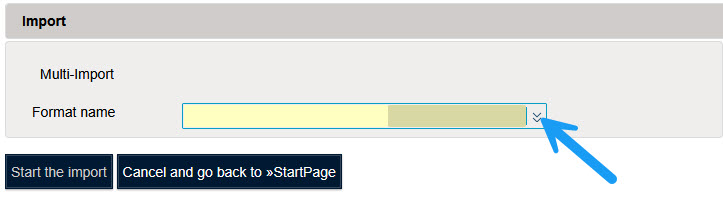
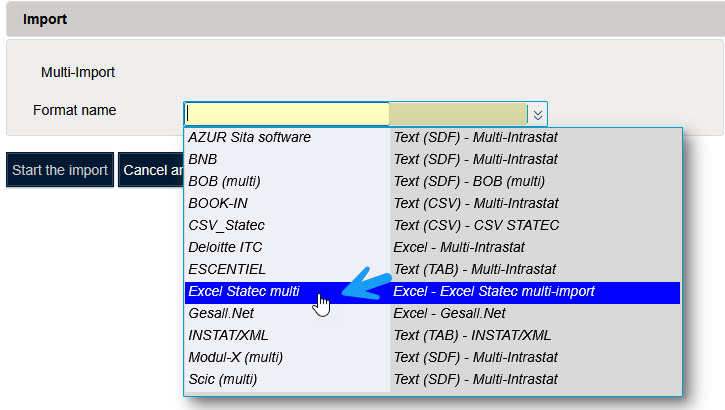
You must choose the format that can be used to import the Excel file.
For this example the name of the format is "Excel Statec multi".
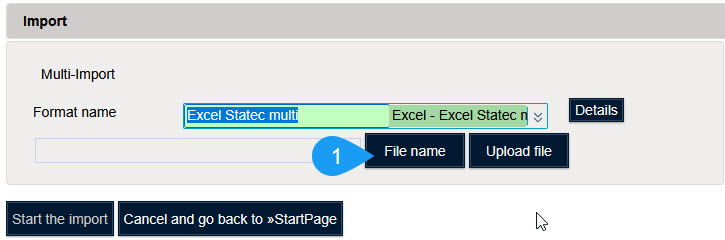
Click on "File name" to select the file you want to import.
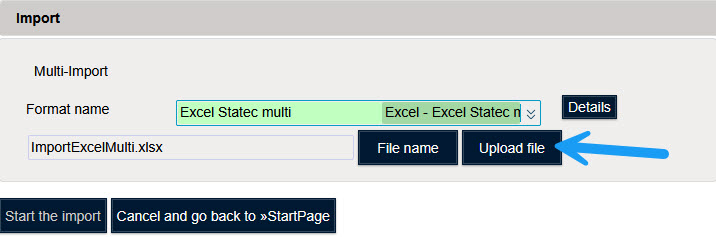
Click on "Upload file" to load the file in memory.
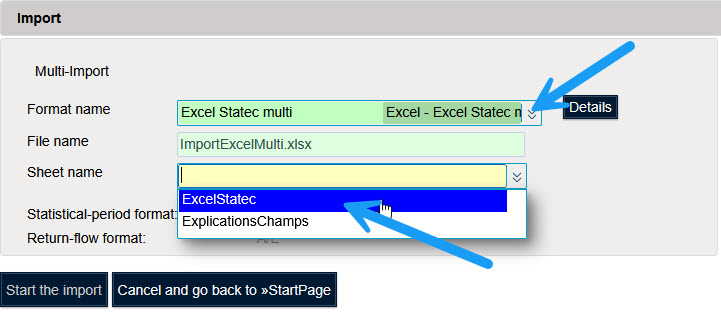
Select the sheet containing the data to be imported.
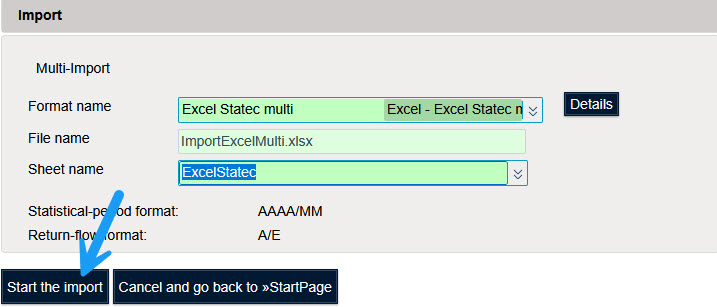
Click on "Start the import" to start importing the data.

Idep displays the message "In progress" when processing the file.
If no error is detected you will get the message "Succesful".

Click on "Successful" to see the details of the import.
If errors were detected you will get the message "With errors".

Click on "With errors" to see the details of the import.
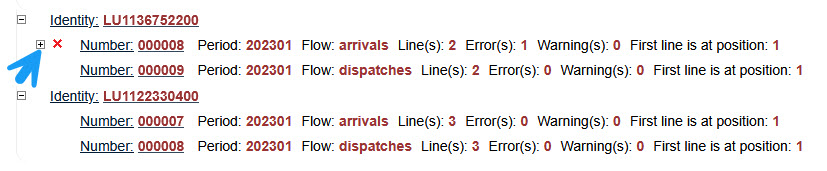
More details are displayed by clicking on the sign "+".
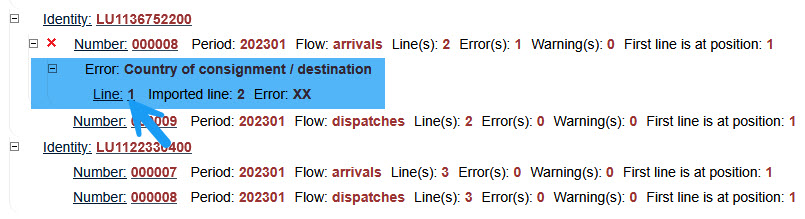
Click on the line number to see the details of the line in error.
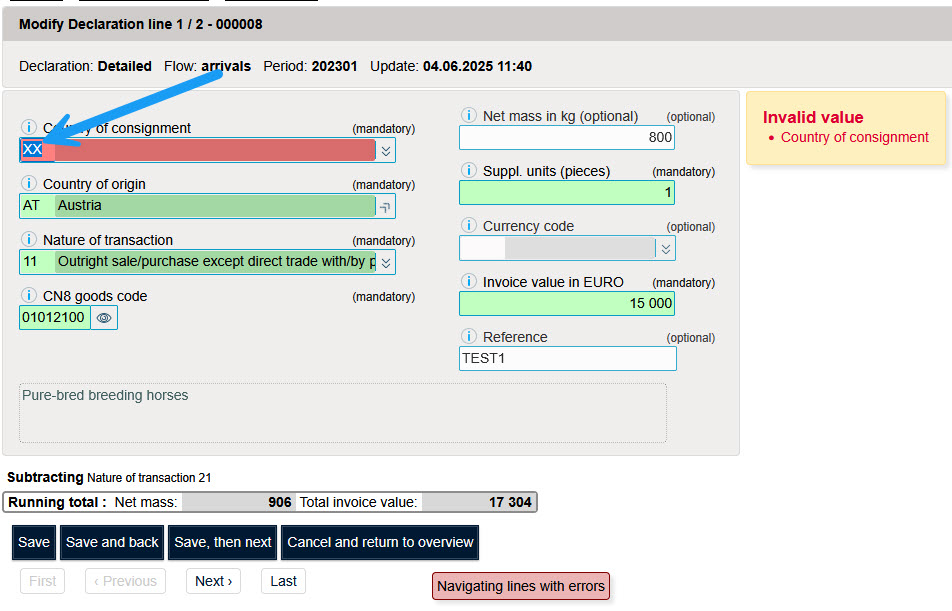
This line contains a wrong country of origin. You must correct this error.
Then click on "Save, then next" if the declaration contains several errors.
If the declaration contains no more errors click on "Save and back" to display the line preview.
To display the error report again.

It is possible to send all imported declarations with the status "not sent".
To exit the screen with the line details click on "Cancel and return to overview" to return to the statement overview.
Choose "Transmit+" from the "Actions" menu.