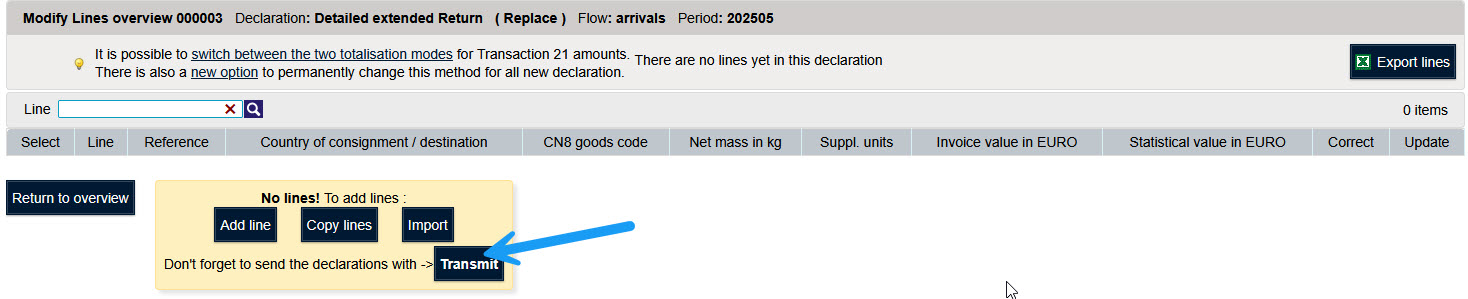
The following operations are possible to modify an existing declaration :
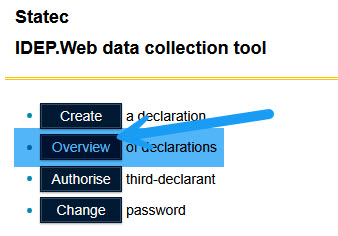
To edit a declaration you must first open the declaration overview.
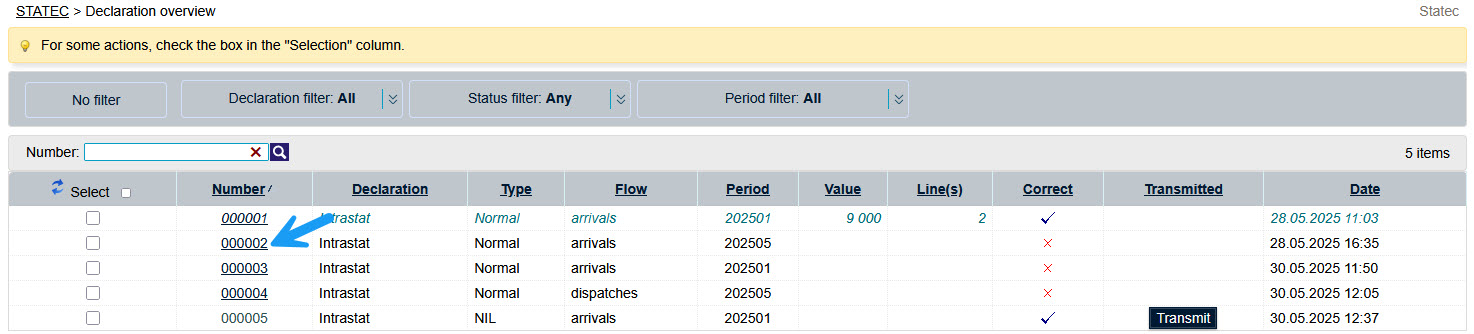
To open a return, click on the return number.
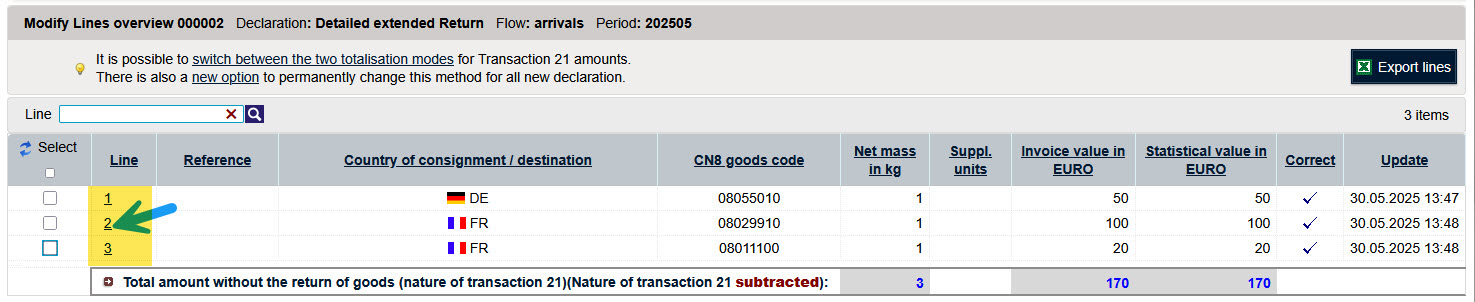
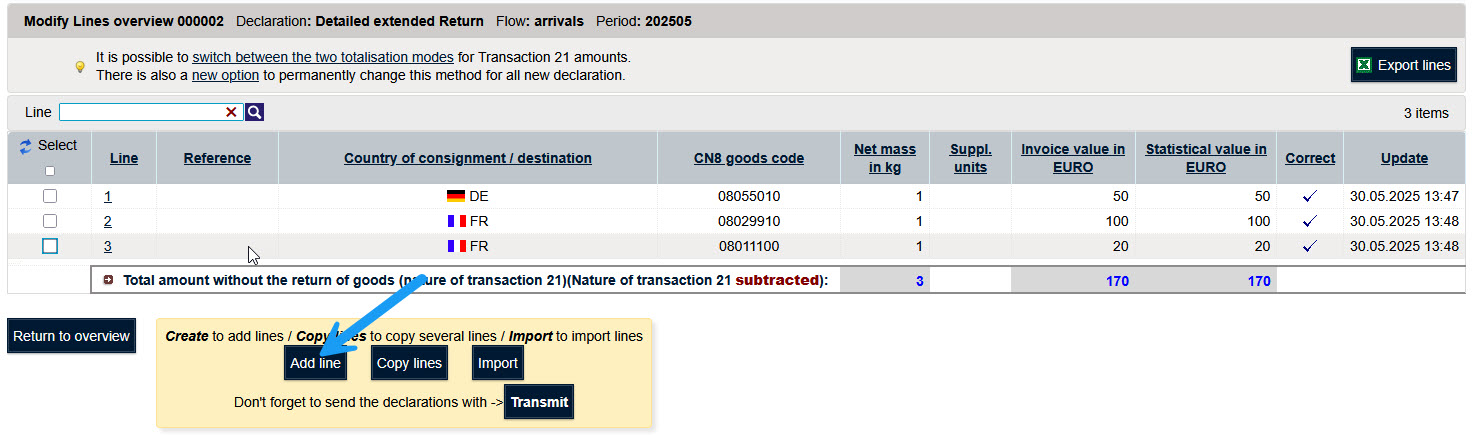
The existing rows of the declaration are displayed.
Click on the button "Add a line" to open the encoding form.
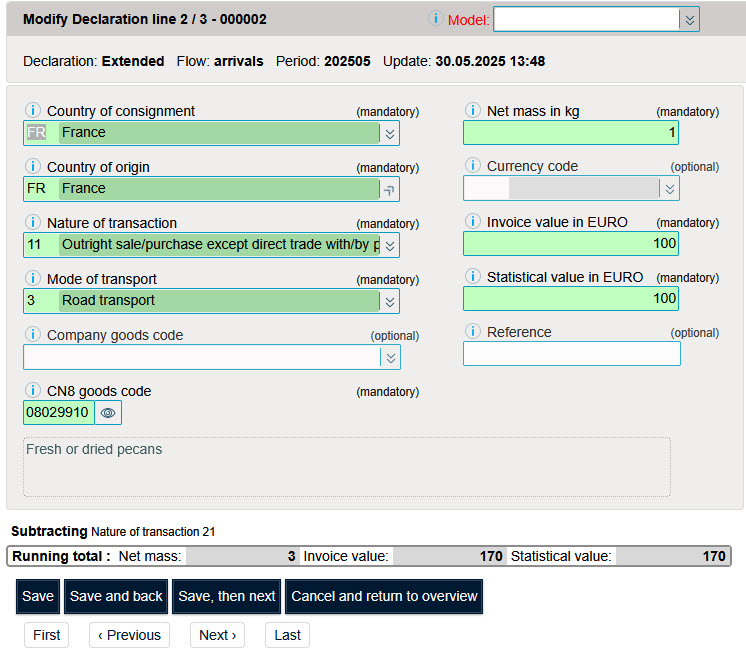
Click on the line number of the line to edit.
The data of the existing line will be displayed.
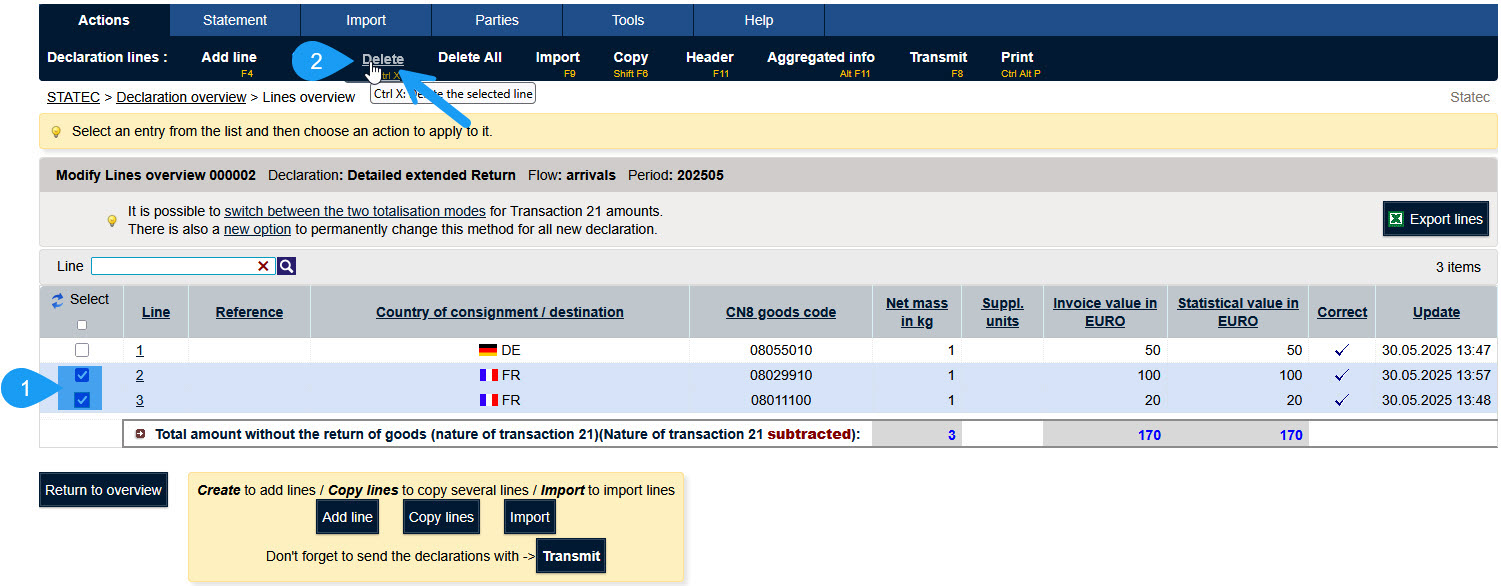
Select the checkbox in front of the row/rows to delete.
Select the option "Delete" of the menu "Actions".
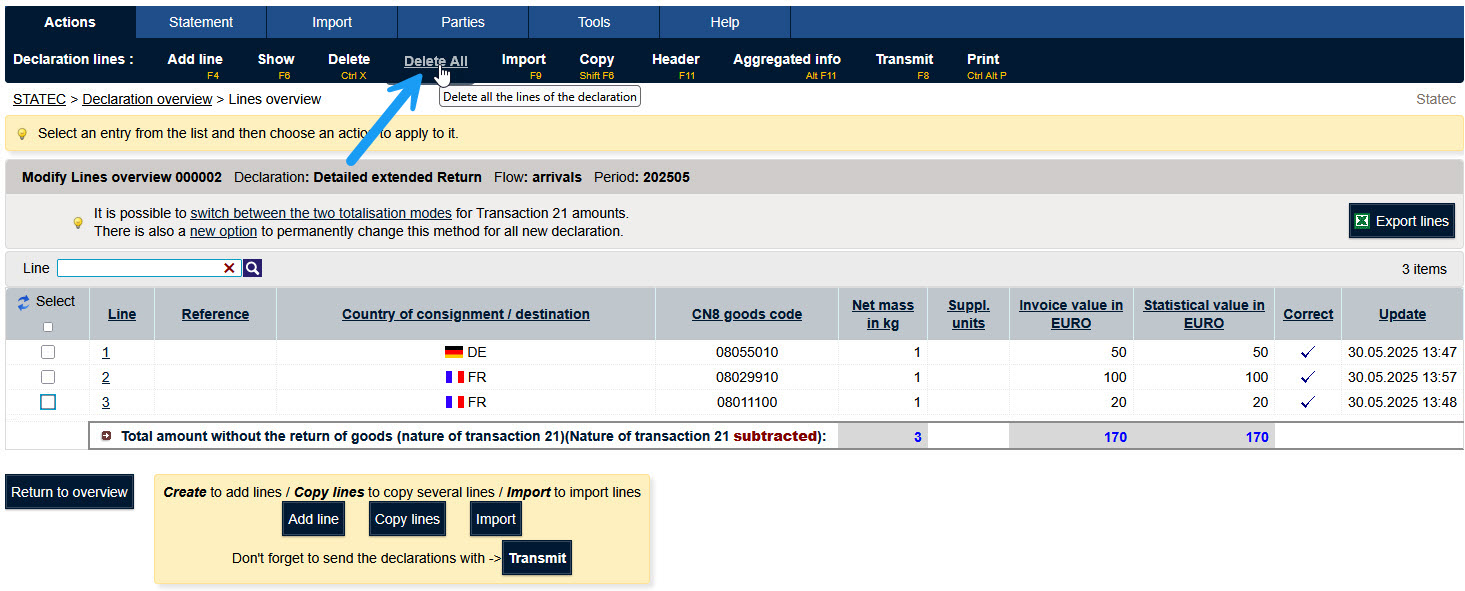
It is possible to delete all rows. This option is useful if you want to start importing a file again.

After deleting all the lines you can import a file again.
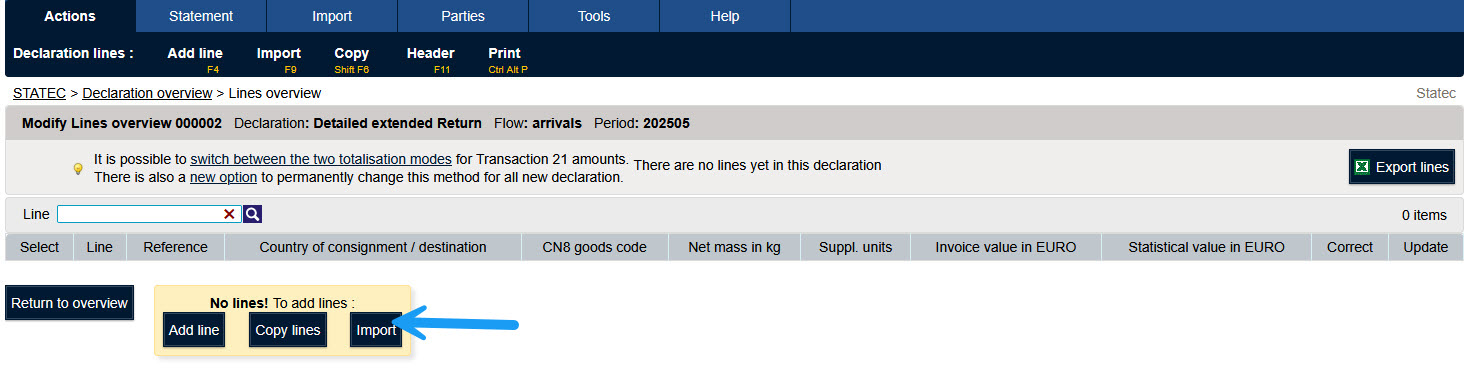
By clicking on the button "Import" you can import a file in this declaration again.
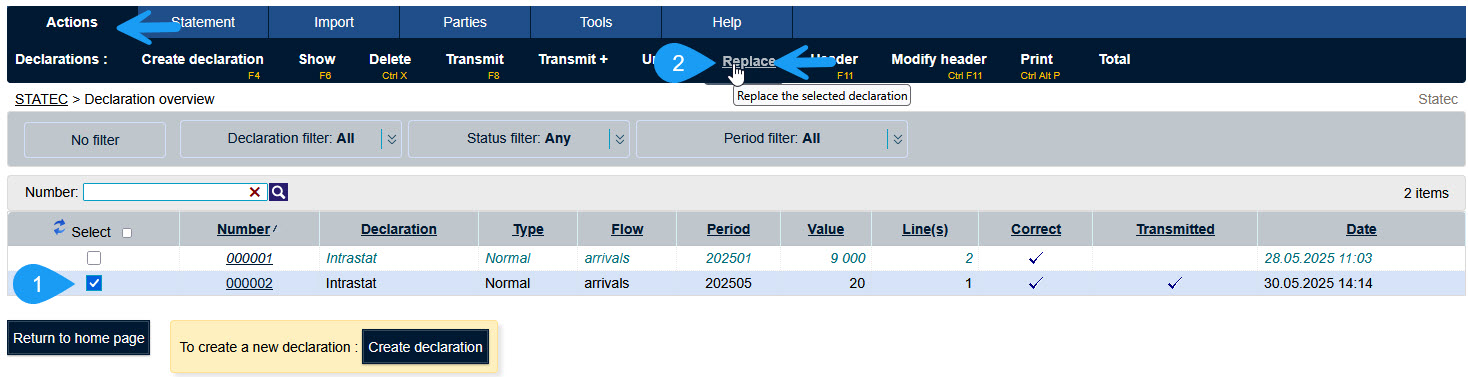
To modify a submitted declaration you have the option of replacing the declaration.
To replace a declaration you must first select the declaration to be replaced. Then choose the option "Replace" of the menu "Actions".
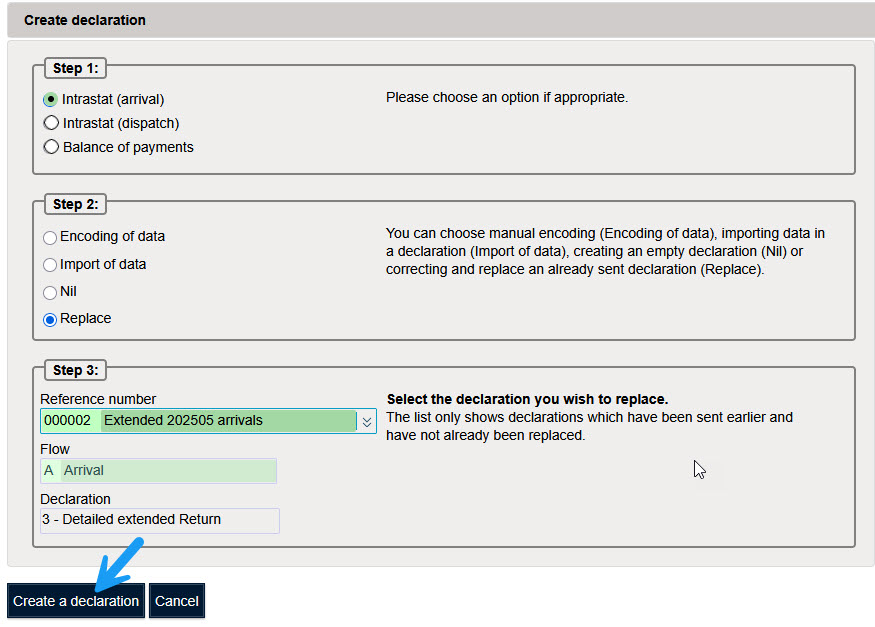
Important: Replacing a declaration does not automatically require re-entering all data. In Step 4, you can either:
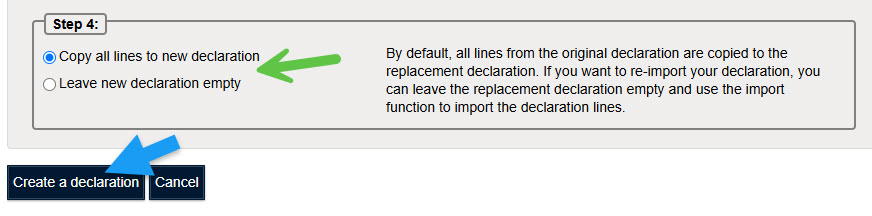
Click on the Bouton "Create a declaration".
Depending on the option selected in the previous step, the replacement declaration either contains all lines copied from the original declaration or is created empty.
You can now add, edit, delete, or import declaration lines as required.
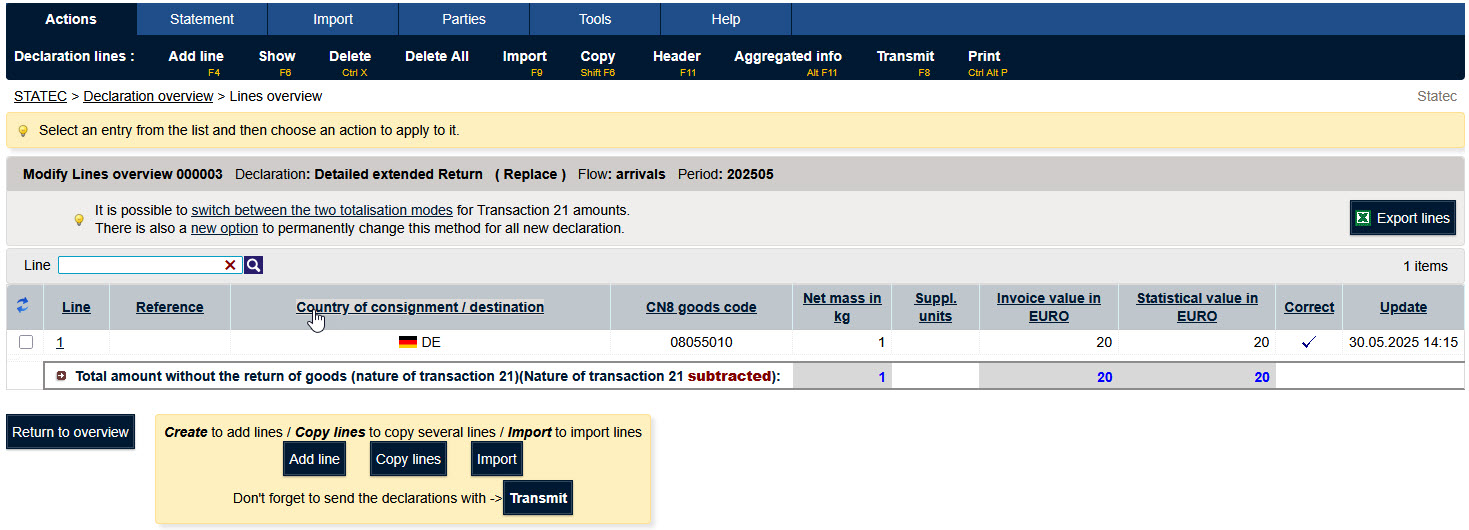
Idep displays in the declaration overview the declaration statements.
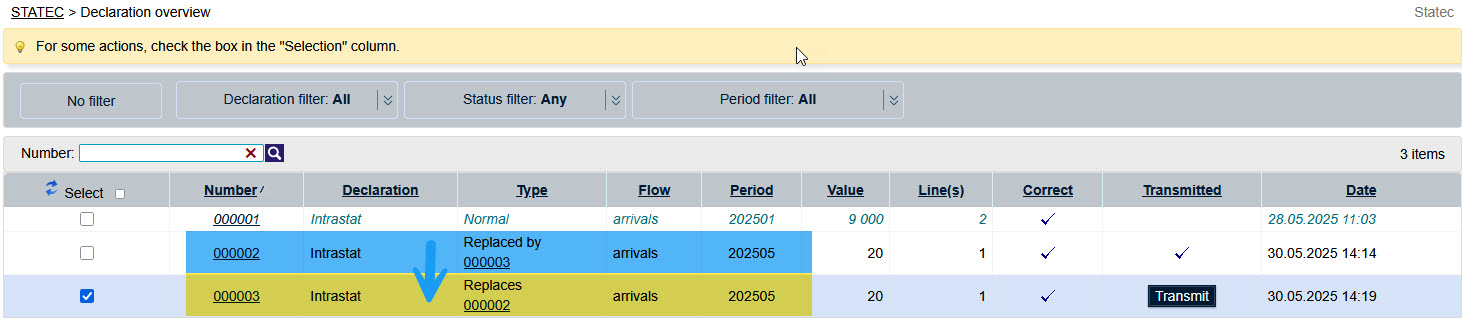
To create a nill (empty) replacement declaration , you can create a replacement declaration and delete all the rows