
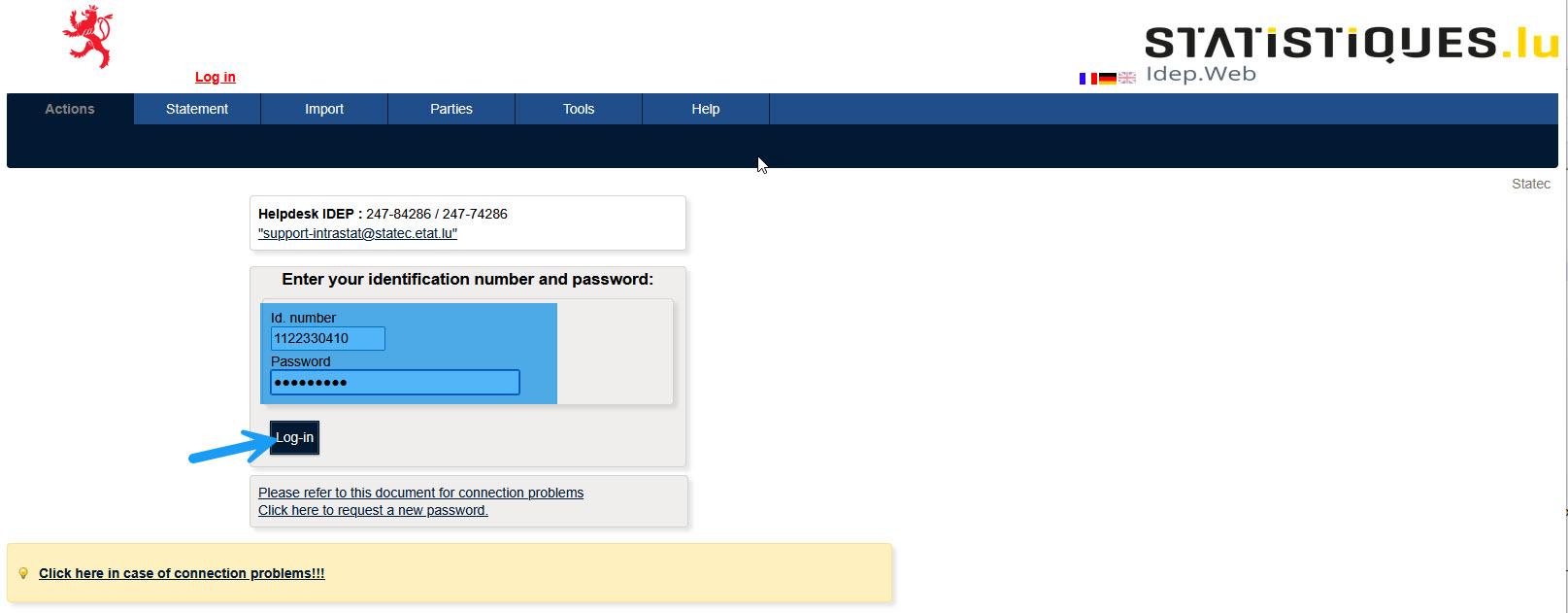
You can access Idep.Web by entering the "user id" and the "password", which Statec has provided to you.
Click on "Log-in".
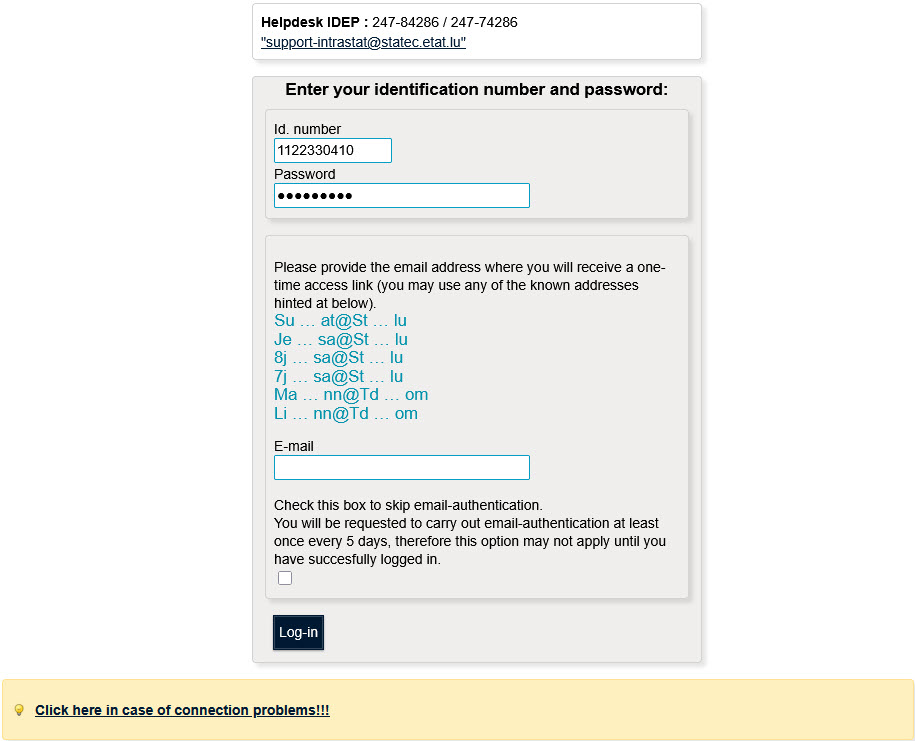
Idep.Web displays a list of possible email addresses for the connection.
Enter a valid email address.
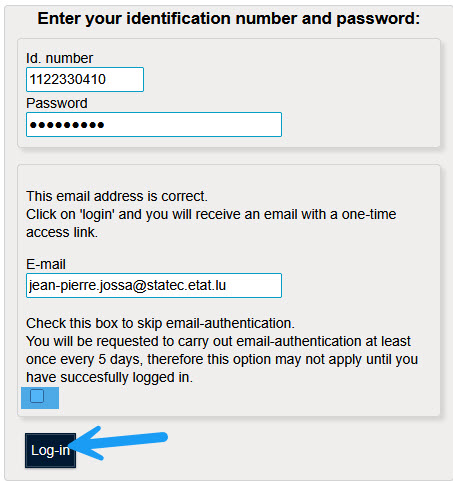
By checking the box "Check this box to skip email-authentication", the email address will not be requested for 5 days. This option is useful for users who log in to Idep.Web several times a day.
Click on "Log-in".
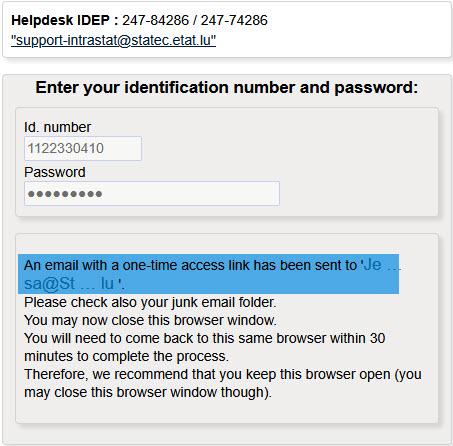
Idep.Web sends an Email to the encoded address. Normally this sending is done immediately. In case of non-receipt check your mailbox for unwanted emails.
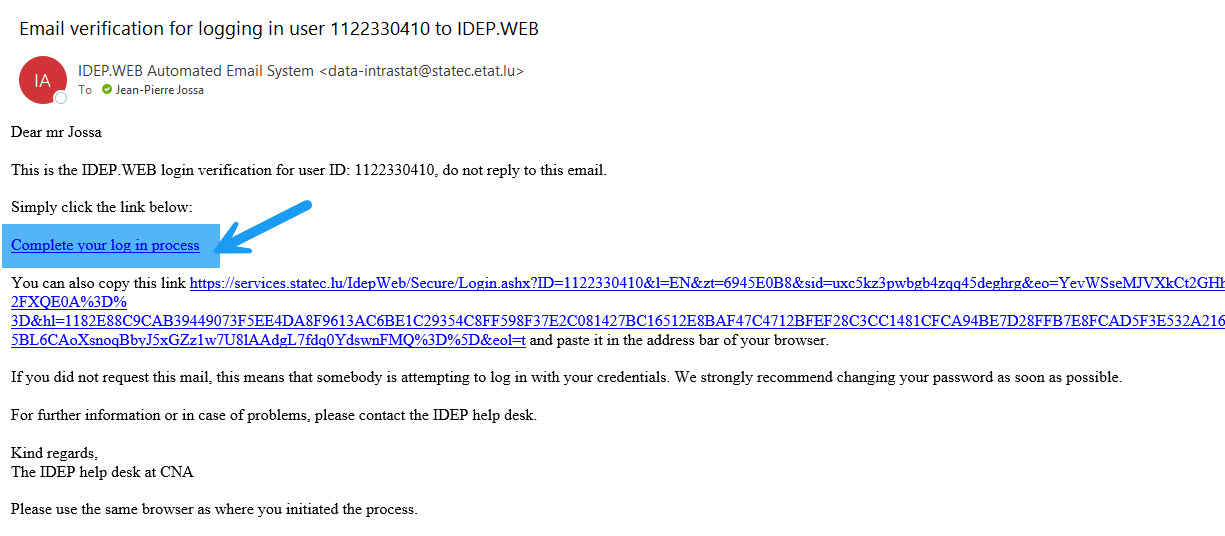
Click on the link to log in.
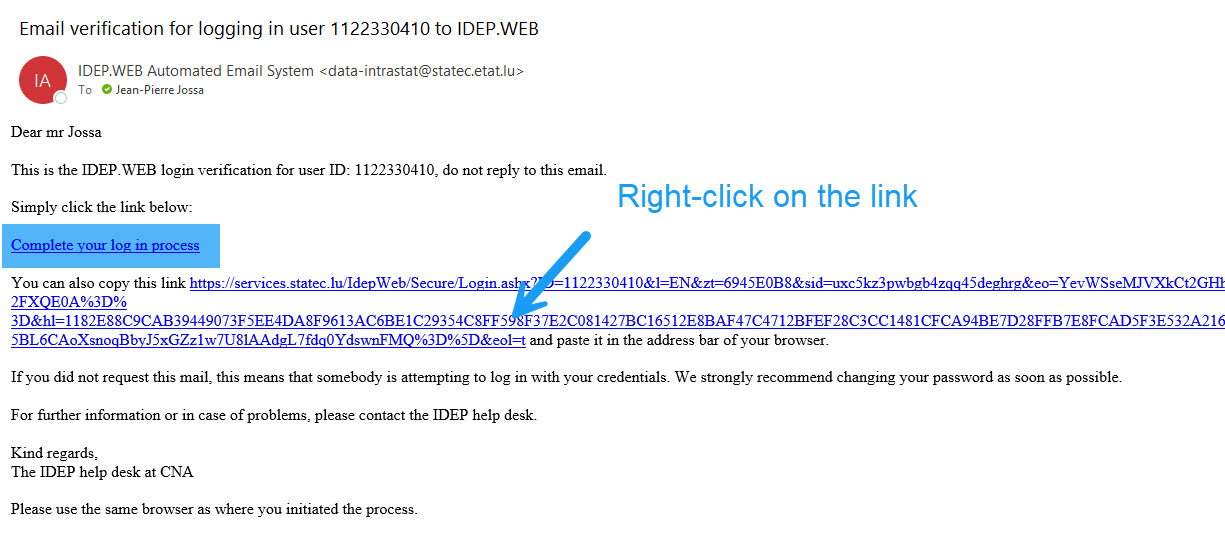
If Idep.Web asks for the password again, it is an indication that your browser used for the initial login is not set as the default browser in your system.
You have several options to solve this problem.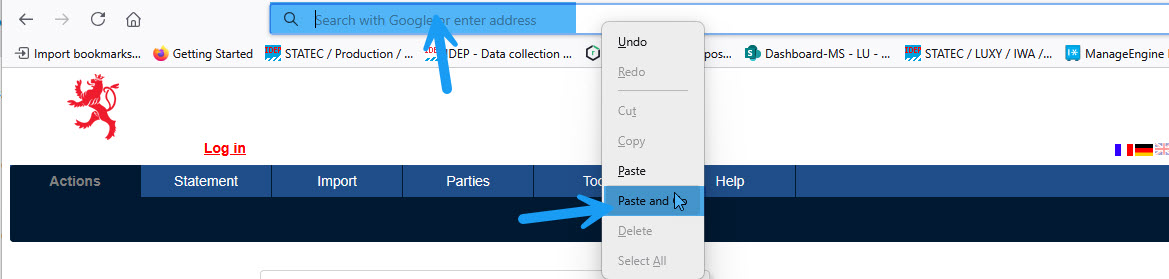
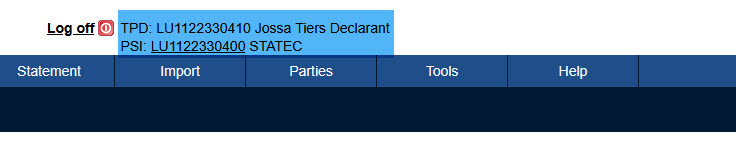
The application informs you that you are logged in as a third-party filer and which client is active.
