
Creating an import format for a delimited file.
The delimiter in this example is ";".
Display of the CSV file in Excel.

Display of the CSV file in Notepad++.

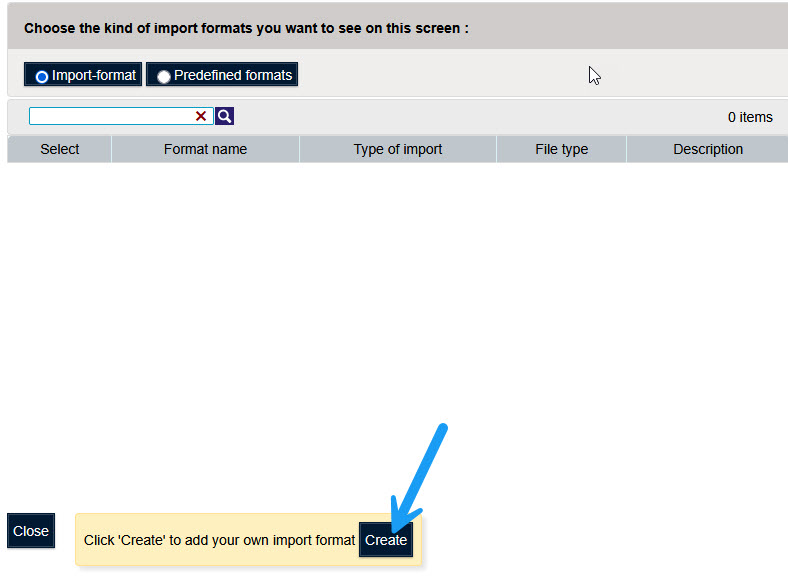
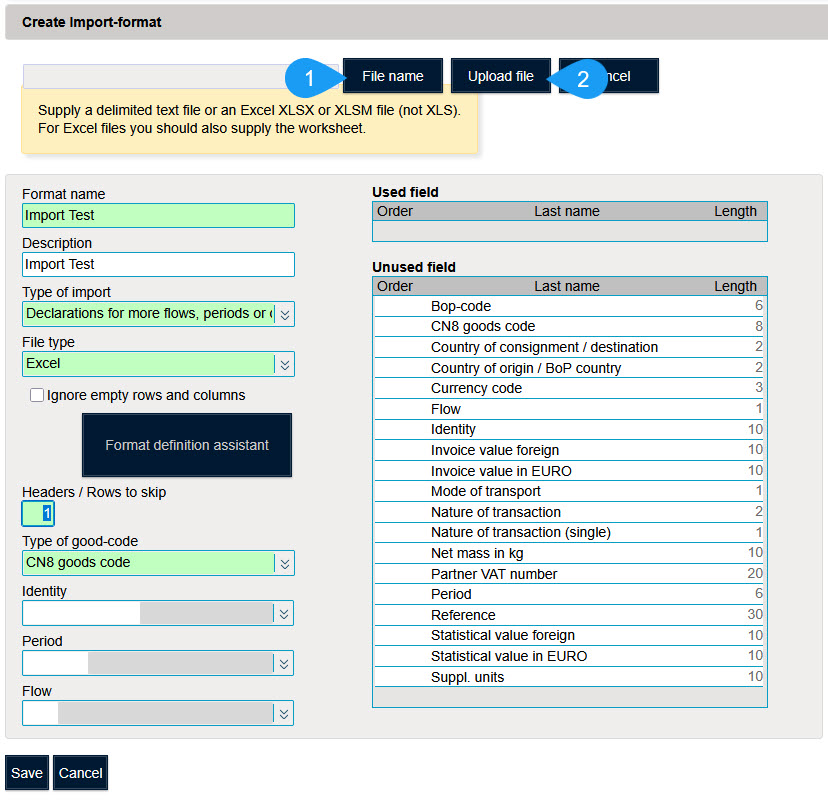
To create an import format, use the "Import" menu and select "Import Format"

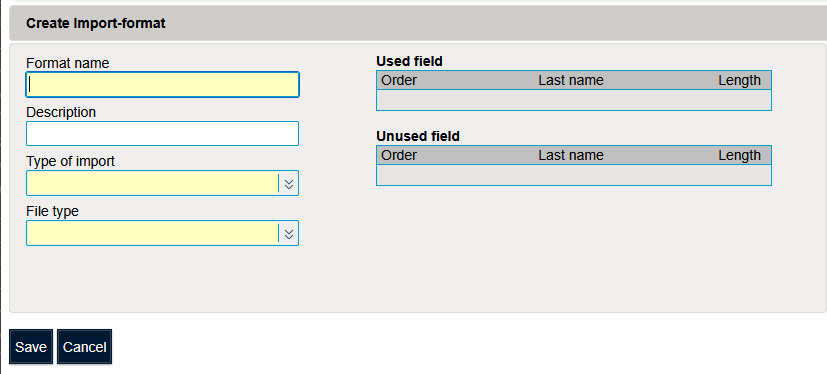
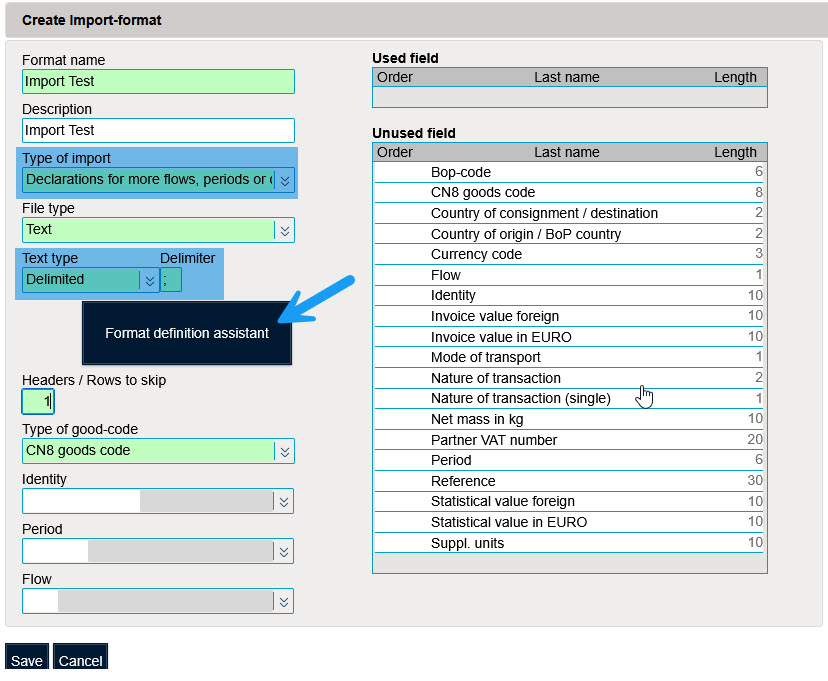
Since the file contains information about the declarant's VAT number (LU11223304 → 1122330400), the statistical period (December 2023 → 1223), and the flow (A/E), the import type to choose is "Declarations for more flows, periods or companies".
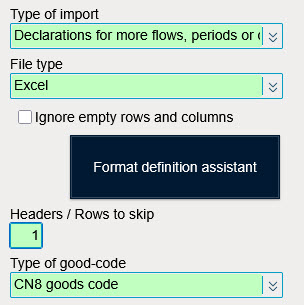
For file type, choose "Text".
For text type, choose "Delimited".
For delimiter, choose ";".
The field "Headers/Lines to ignore" defines the number of lines to skip during import (headers).
Since the file contains one header line, the number of lines to ignore is "1".
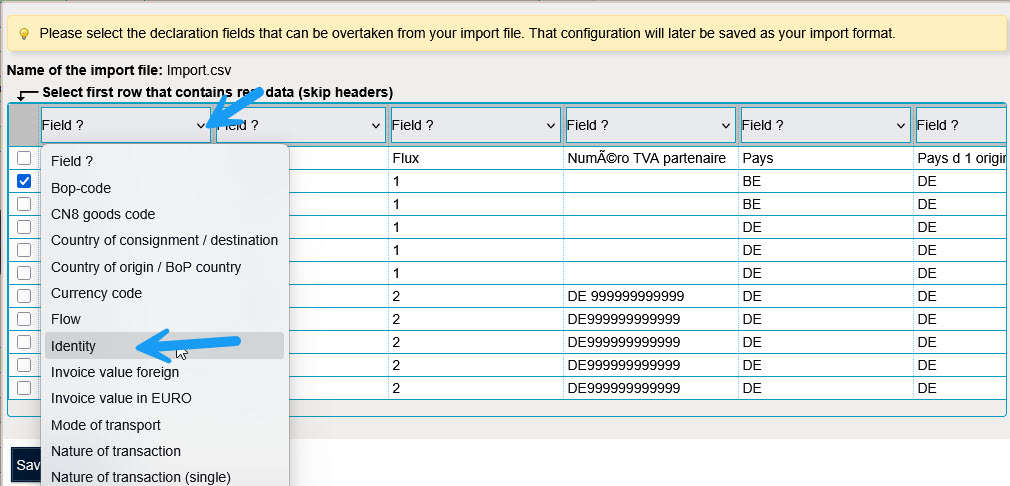
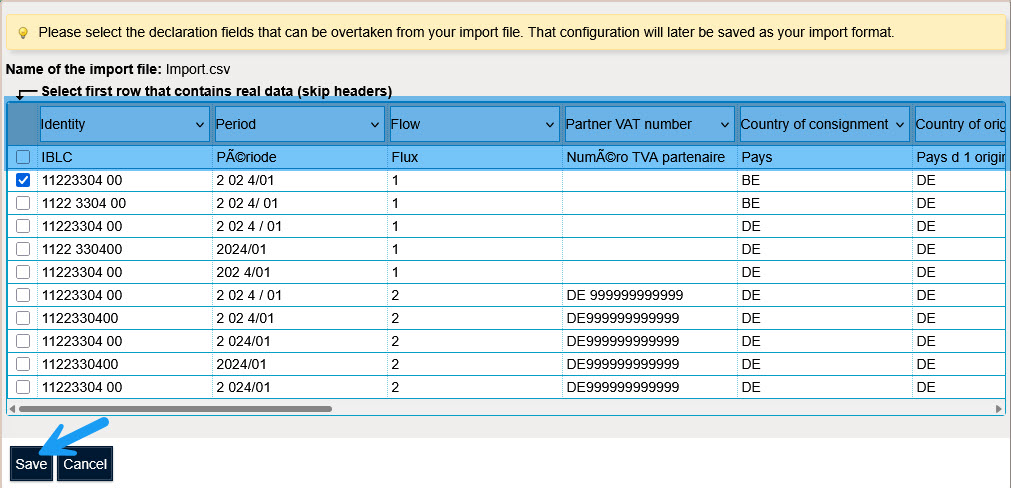
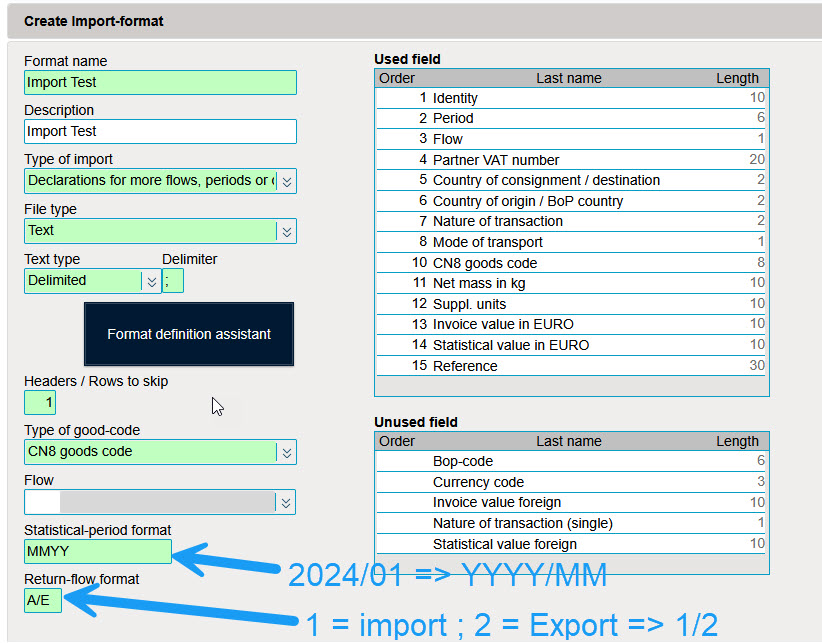
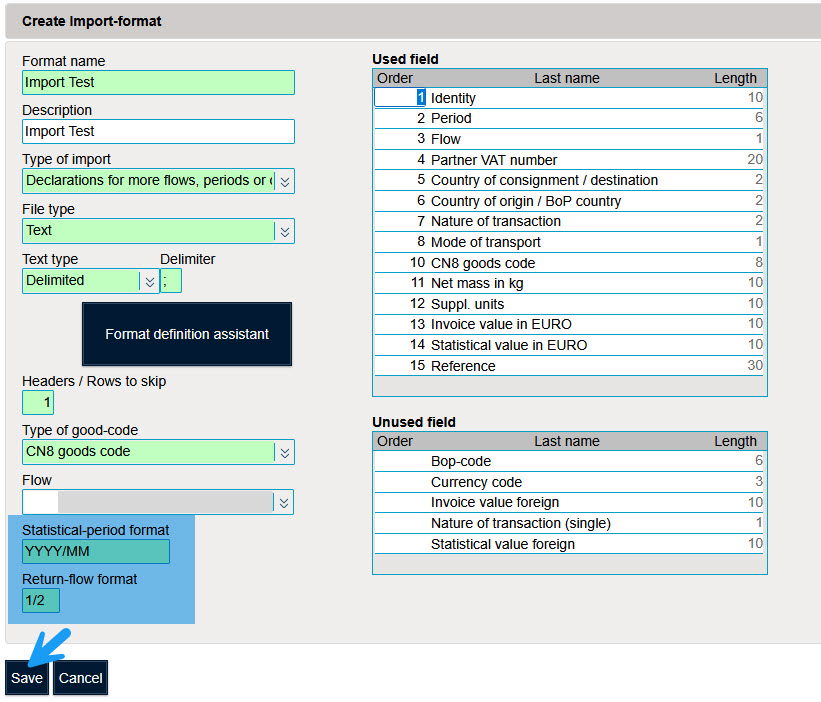
Click "Save" to save the import format.